Home remodel planning
Reconcile product allowances with actual selections
Show what a selected product changes and what the allowance does not include.
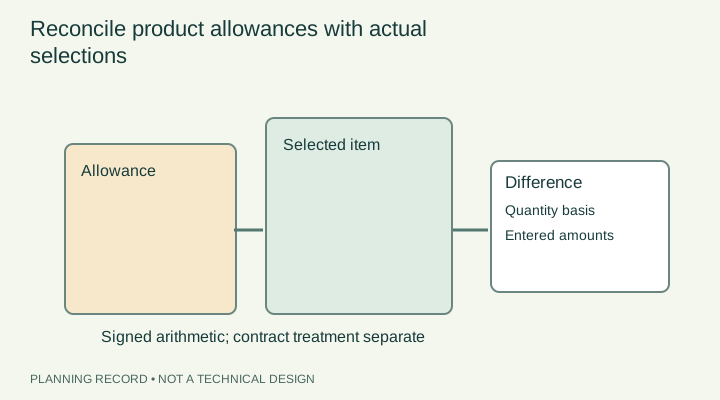
Define the allowance before calculating
Copy the allowance description and amount from the proposal or agreement, preserving the currency and tax treatment. Identify what it covers: the product alone, a group of products or a stated combination of supply and installation. An allowance labelled 'fixtures' may be too broad to compare with one selected tap, so ask for the scope to be clarified first.
Record each proposed selection by supplier, model and dated quote. Note quantity, delivery and any stated exclusions. Avoid using a catalogue headline price when the actual order has different quantities or terms. The record should allow the contractor and homeowner to trace every entered amount back to a document.
Reference context: Home renovations — Office of Consumer Affairs
Separate product difference from associated work
A different product can change preparation, installation or adjacent work. Ask the responsible installer to identify those effects before treating the selection as a simple price substitution. A larger appliance, different fixture or alternate finish is not automatically compatible with the existing design merely because its purchase price is within the allowance.
Keep associated work in separate rows with a status and a written explanation. If its cost is not known, leave the amount unresolved instead of guessing. The allowance reconciler is a financial record based on entered assumptions; it does not assess product suitability, code compliance or the contractor's entitlement to a change.
Reference context: Home renovations — Office of Consumer Affairs
Make the entered arithmetic visible
Use the actual allowance, selected-product amounts and separately stated charges. Identify whether amounts already include tax and avoid mixing inclusive and exclusive figures. Where the tool asks for a tax or adjustment input, it is the user's documented assumption, not a current tax ruling. Show a subtotal and each adjustment so another person can review the calculation.
A positive product difference means the entered selection exceeds the entered allowance under those assumptions. A negative difference does not by itself establish a refund or credit. The contract and written change agreement govern how the difference is handled. Keep calculation results and contractual conclusions separate.
Reference context: Home renovations — Office of Consumer Affairs · Your rights when starting home renovations or repairs — Government of Ontario
Authorize the change through the agreed process
Ask for a written selection confirmation that identifies the product, related work, price treatment and any effect on timing. Check that the person approving it has the authority established in the agreement. Preserve the earlier allowance and the new selection together so the change can be understood later.
If a product becomes unavailable, return to the same process for the replacement instead of treating 'equivalent' as self-explanatory. Compare function, dimensions, finish, installation requirements and price treatment with the relevant parties. At closeout, reconcile the selected and installed products against the final account and keep unresolved differences visible.
Reference context: Home renovations — Office of Consumer Affairs · Hiring a contractor — Government of Alberta
PUT THE GUIDE IN CONTEXT